
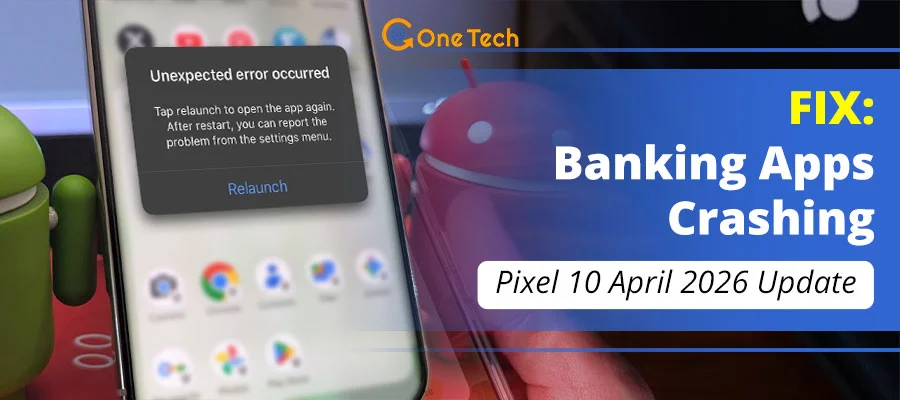
Quick Fix for Pixel 10 Banking App Crashes
To stop banking apps from crashing on your Pixel 10 after the April 2026 update, follow these three verified steps:
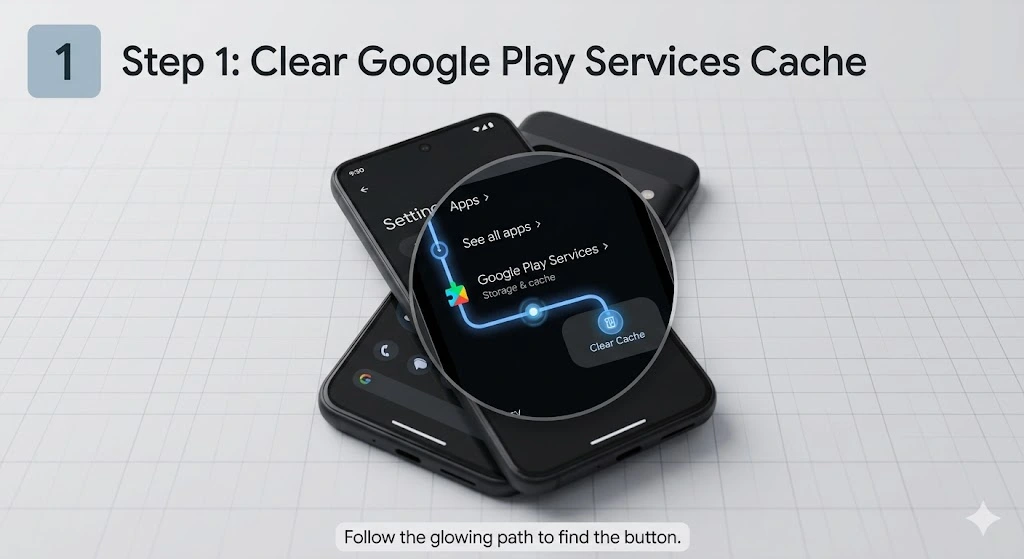
- Clear Cache: Navigate to Settings > Apps > See all apps > Google Play Services > Storage & cache > Clear Cache.
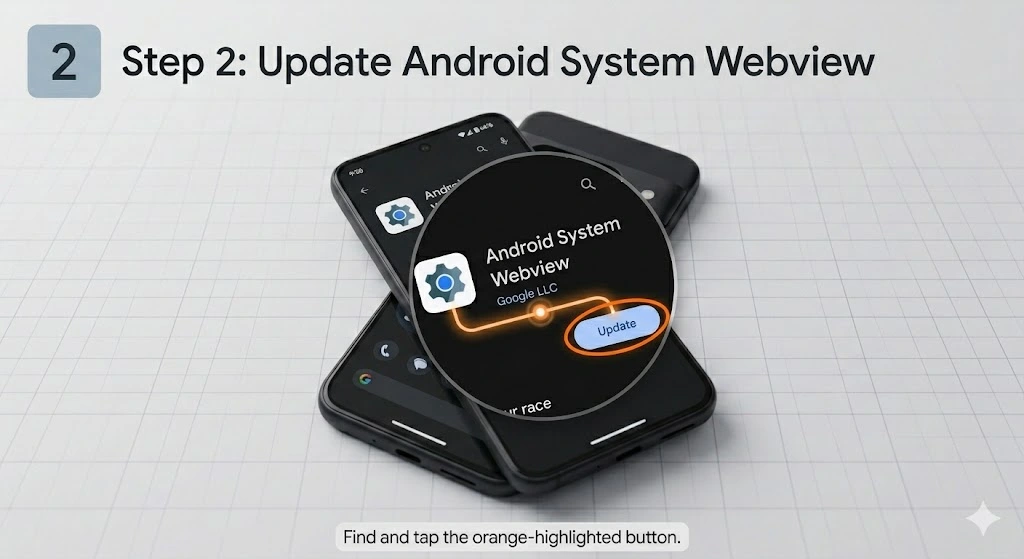
- Update Webview: Go to the Google Play Store and ensure Android System Webview is updated to the latest version.
- Disable Developer Options: The new security patch triggers Play Integrity failures if USB Debugging or Developer Options are active. Turn them off to restore app access.
Why is the April 2026 Update Breaking Banking Apps?
The technical reason is deep-rooted in the Trusted Execution Environment (TEE). In the latest Android 16 QPR3 release, Google tightened the “Strong Integrity” requirements. Essentially, the phone is performing a “handshake” with your bank’s server. If the phone’s software fingerprint looks even slightly modified due to a cached error or an active developer setting, the bank terminates the session to protect your funds.
Google’s official bulletin confirms this as a fix for ‘certain banking apps crashing in specific conditions,’ triggered by tightened Play Integrity in Android 16 QPR3. This tightened check resolves prior crashes but can flag clean devices temporarily until fully rolled out.
Comprehensive Troubleshooting Guide
Step 1: The Google Play System Update
Before doing anything else, you must verify that your backend system components are synced.
Go to Settings > Security & Privacy > System & Updates > Google Play System Update. Even if it says up to date, tap ‘Check for update‘—the bulletin notes this delivers the core banking crash fix via Google Play services.
Why: Delivers the official banking crash patch via Play services; rollout staged, so manual check ensures latest.
Step 2: Resetting Android System Webview
Most banking apps are actually “wrappers” for web content. If Android System Webview has a cached conflict with the new security patch, the app will crash instantly.
In Play Store, search Android System WebView > Uninstall updates > Update to latest (136+ April stable)
Why: Banking apps use WebView wrappers; outdated cache conflicts with QPR3 security, causing instant crashes—update reverts/resolves.
Step 3: The “Developer Options” Conflict
This is the most common reason for the “Security Policy Violation” alert. The April 2026 patch includes a new “Hardware-Backed Integrity” check. If you have USB Debugging enabled for sideloading or development, many banks now view this as a high-risk environment. You must toggle Developer Options to OFF to bypass this check.
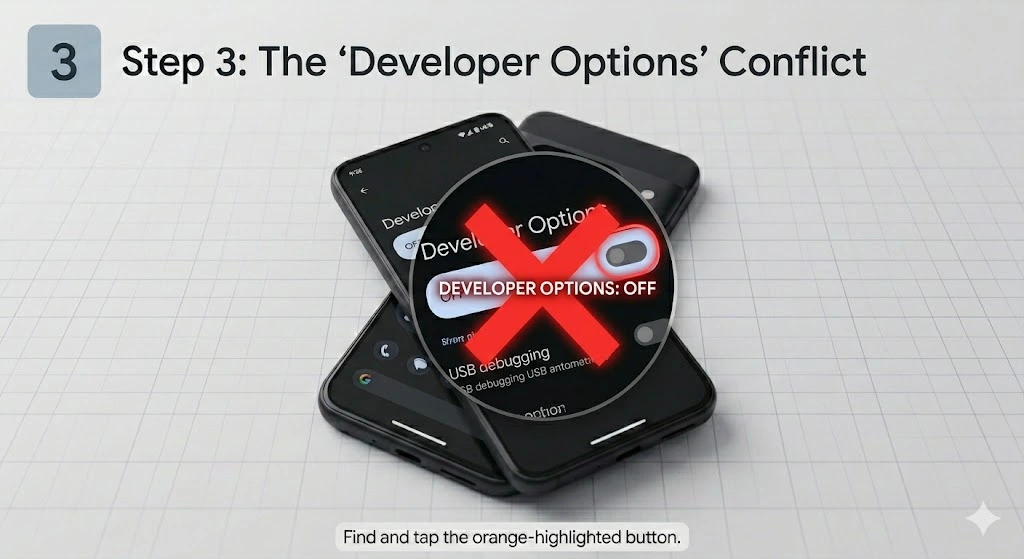
Why: Active dev options flag as ‘high-risk’ in new Hardware-Backed Integrity checks, failing bank handshakes.
Visual Guide: Troubleshooting Android App Crashes
Dealing with the “Device Not Certified” Error
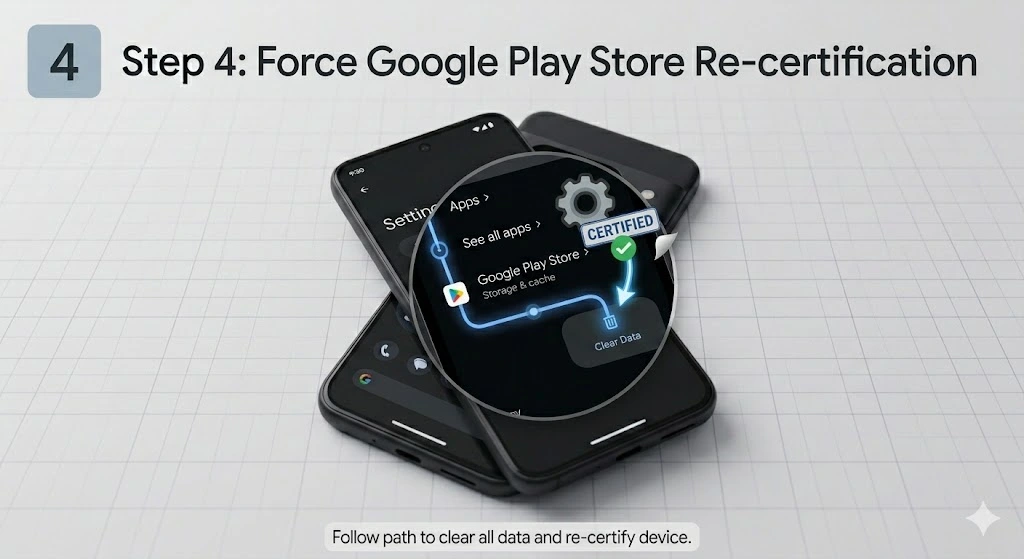
If you see a message stating your device is not certified, your Play Protect status has likely slipped into a “Basic” integrity state. This occurs post-beta or unlocked bootloader, per developer docs and forums. To fix this, you may need to clear the data for the Google Play Store app itself and restart your device to force a re-certification.
Affected Banking Apps
- Chase (Crashes fixed by April update per bulletin)
- Bank of America (Reported post-update)
- Amex (Crashes fixed per bulletin)
- Fidelity (Unaffected)
Note: Update primarily fixes these per Google’s notes.
Caveats & Safety
- If bootloader unlocked/rooted: Integrity may fail permanently—use bank website or relock.
- Backup 2FA codes pre-clear; re-enable biometrics post-fix.
- Update self-resolves for many; check Settings > System > System update.
Source: Play Integrity docs & forums [developer.android.com/google/play/integrity].
Frequently Asked Questions (April 2026 Update)
Is it possible to simply uninstall or roll back the April 2026 security update?
No, standard Pixel devices do not allow you to roll back security patches. Attempting to manually flash an older Android version requires unlocking the device’s bootloader. Doing so will permanently trigger a hardware integrity failure, which completely blocks access to modern banking apps.
Why are apps like Fidelity working fine, while Chase and Amex crash?
Different financial institutions require different strictness levels via Android’s Play Integrity API. Apps that are currently crashing likely demand “Strong” hardware-backed integrity to open. Unaffected apps are temporarily allowing standard “Device” level checks, though they will likely update to the stricter requirements soon.
I cleared the Play Store data. How long until my device shows as “Certified” again?
In most cases, the certification status resets immediately after you reboot the Pixel 10. Depending on Google’s server sync, it can occasionally take up to a few hours. If your device remains uncertified after 24 hours, verify that you are not running a beta version of Android 16.
Will a factory reset fix these banking app crashes?
A full factory reset is generally not recommended for this specific issue. It will not downgrade the April 2026 security patch, meaning the strict Play Integrity checks will still be enforced. Stick to the targeted cache and Webview resets outlined in the steps above to save yourself the hassle of setting up your phone from scratch.
Final Thoughts and Safety Tips
Technology moves fast, and while we strive to keep your Pixel 10 running smoothly, security patches will always occasionally cause friction. Always remember to re-enable your biometrics and 2FA (Two-Factor Authentication) after you clear your app caches, as these settings are often wiped for security reasons during a reset.
Does your app still refuse to open? Drop a comment below with your specific error code. Our team monitors these daily to provide 1-on-1 help for our readers.