
There are various offline AI-native note-taking apps in 2026 that you can look for, such as Obsidian, Aiko, and many more. Just understand a few things before choosing the local AI app. Most importantly, check whether the particular app is asking you to sign up. If yes, don’t go with that. Plus, see how the specific app smoothly works in an offline mode or not. There are some other key points that you will read in this blog.
Stay with us by the end of this comprehensive blog so that you can easily choose the ideal app for your studies.
Basic Overview of the Best Local AI Note Apps in 2026
Just take a look at the table below.
| App | Best For | Local/Offline? |
| Obsidian | Power users, Second Brain | Yes (Files) |
| Logseq | Outliner/Daily Notes | Yes (Files) |
| CraftNote | In-person Lecture/Conference | Yes (Local) |
| Aiko | Apple Offline Transcription | Yes (Local) |
Best AI‑Native Note‑Taking Apps for Students That Do Not Use Cloud Sync (2026)
Here, we will discuss the best AI apps that save notes locally as well as work smoothly in an offline mode.
1. Obsidian (with AI Plugins)
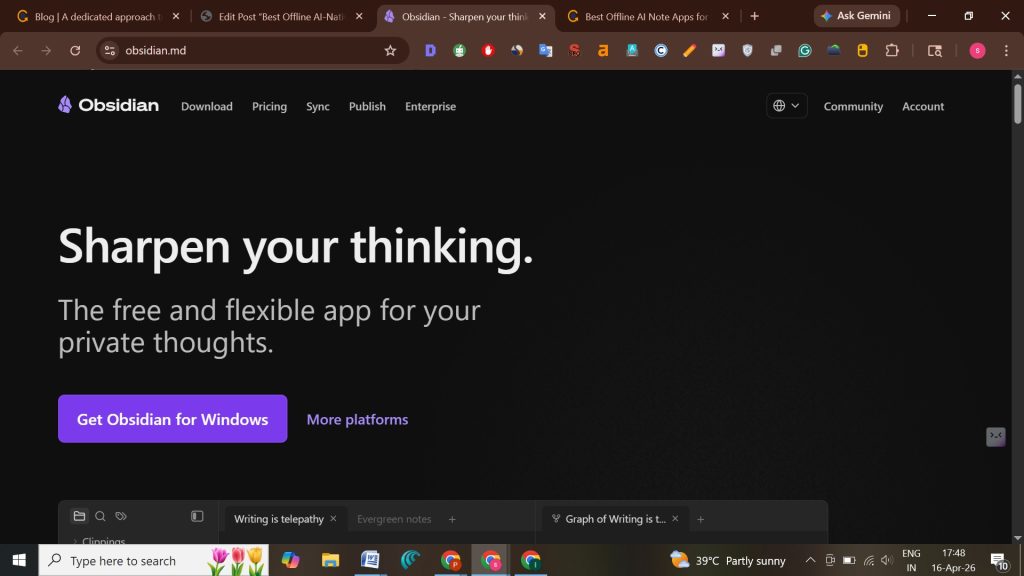
Obsidian is one of the Markdown-first and local-first AI apps that requires manual setup of plugins and integrations. Besides this, it has a main focus on providing a flexible note-taking experience that is built on privacy, ownership, and control. Plus, it has AI as an alternative. You can choose any of the AI tools and models according to your preference. Moreover, it provides a user experience that is more peaceful and quieter without displaying an AI pop-up indicating it is ready to solve your queries.
And the best part is that it completely stores notes locally by default. So, you don’t need to worry that your confidential data will be transferred to a third party.
Best For: A note-taking management app is designed for the Windows OS and profound research linking for students.
Why We’ve Chosen It: This app has a main focus on setting up connections between your notes. It has a bidirectional linking system that allows you to build a broad network in the context of similar notes. By doing so, it enables effective research for long-term knowledge.
Key Features:
- This app runs fast on Windows OS.
- Markdown-based note creation.
- It has a wide range of plug-in systems.
- Offers you a graph view so that you can easily see connections.
Pros:
- Provides you with a canvas to infinitely brainstorm, research, lay out, and diagram your ideas.
- Accessibility of your notes is effortless and fully end-to-end encrypted.
- Allow users to compare, view, and save the older versions of notes.
- Work smoothly with your team on the files that you have shared without sacrificing your confidential data.
Cons:
- Learning process for beginners.
- Synchronization across other devices, which requires a premium plugin.
Price:
- Sync – $4 USD per user on a monthly basis, and it is billed annually.
- Publish – Monthly fees are $8 USD per site and are paid yearly.
2. Logseq
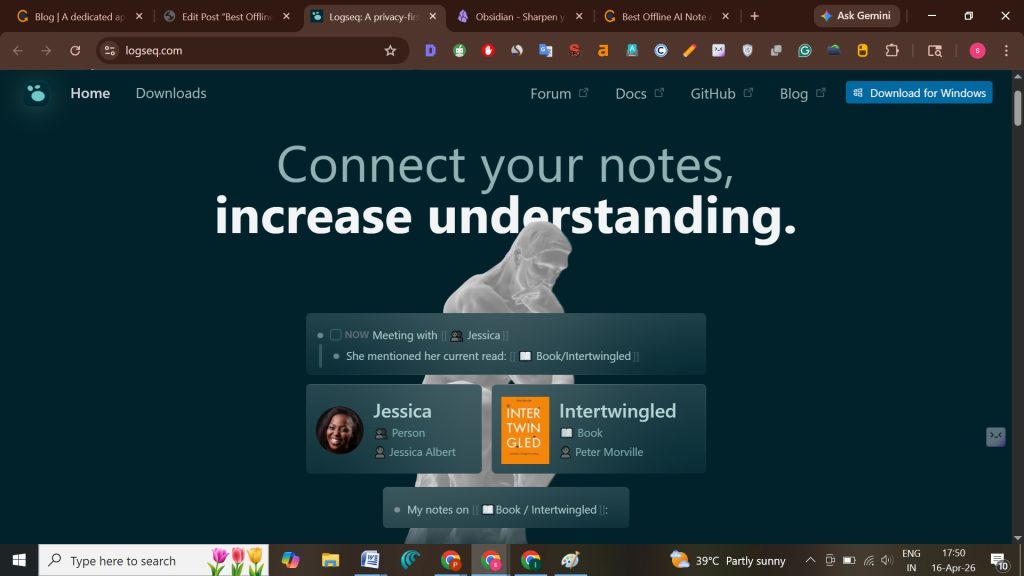
Logseq is an open-source, free AI note-taking app without cloud sync that is effectively designed for task management. This app secures your graph of linked pages and daily journals. Besides this, it consists of a tagging system, a hierarchy of notes, and templates. Plus, it automatically saves the data, whether it is project notes or students’ check-ins, which helps educators to track academic progress.
In short, it stores all the data as Markdown files within your local device storage, and it doesn’t require any login, subscription, or even a cloud-based server.
Best For: It excels at managing tasks, capturing fleeting thoughts, creating flashcards, and linking information through backlinks. Beyond that, it is fully compatible with all desktop operating systems, like macOS, Linux, and Windows.
Why We’ve Chosen It: It is considered a personal knowledge management tool because of its unified thinking environment. Moreover, it allows bidirectional linking reliably with the main privacy focus.
Key Features:
- You can easily execute PDF annotations and design flashcards as well as whiteboards.
- Use the Queries, Search, and Linked References features to record, format, and review all your lecture notes instantly.
- Remember insights and facts with the help of the Flashcards feature.
- They prioritize privacy; that is why all your saved notes remain within your local device’s storage.
Pros:
- Offers you more than 150 plugins so that you can extend functionality easily.
- You can also customize the looks and feels of the app by using the Themes feature.
- Available in multiple languages. You just need to translate it with Localization.
- Open your saved notes in other tools, as they are stored in Markdown files.
Cons:
- There are neither kanban boards nor AI magic.
- It won’t summarize your notes, suggest your next task, or even connect to your calendar.
Price:
- It is a free app, so you don’t need to pay anything else.
3. CraftNote
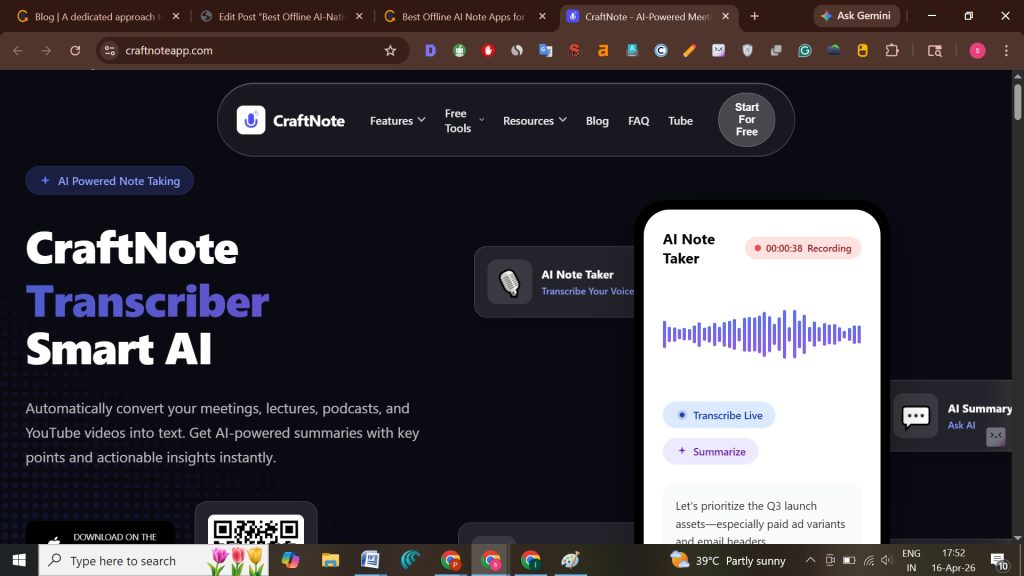
As of 2026, the CraftNote app is designed to function totally in an offline mode. It records group discussions, online lectures, and even chats without requiring an internet connection. When you connect to the internet, all audio and transcripts will be fully synchronized. Along with that, there is a unique speaker memory feature that recognizes participants in all recordings on a permanent basis.
Here’s the catch. This AI-native note-taking app is easily available on the Apple Store and Google Play Store. So, whenever you want to get instant results, just navigate to the Store and search for it on your device.
Best For: If there is an unreliable WiFi connection, you can smoothly attend online lectures. Plus, even if there are international events, you have access to localize them into your preferred language, as there are more than 100 of them.
Why We’ve Chosen It: There is a 94.92% exactness, which indicates that it has the highest accuracy in benchmark testing. Besides this, you will get CRM integration with Salesforce and HubSpot.
Key Features:
- iOS devices let you capture an image, video, or audio without alerting other users, revealing a camera interface, or displaying a live preview.
- Your personal data is saved and processed according to normal procedures within Germany. By doing so, it satisfies the requirements of the strict European residency data.
- You can easily attend college events, trade shops, and workshops within this app.
- This app allows you to attend the recurring meetings with the same people.
Pros:
- It instantly converts your lectures, YouTube videos, and podcasts into text.
- Provides you with AI-powered summaries with actionable insights and facts right away.
- Convert your notes into flashcards and quizzes instantly.
- Allows you to edit the entire notes and transcriptions the way you want.
Cons:
- The transcription process can only be started when you connect to the internet connection.
- Free plans are limited to up to 10 meetings for a month.
Price:
- Starter – $0
- Plus – $8.0/month only for one account.
- Family – $15/month, where 2 to 6 Plus accounts can easily collaborate in a single subscription.
- Team – $50.00/month, where up to 10 Plus account users can effortlessly work together within a single subscription plan.
4. Aiko
Aiko quickly and securely converts your audio into text without the need for an internet connection. It is developed by Sindre Sorhus, who has a privacy-focused approach only for iOS. In addition, this app is ideal for those students who want sensitive information in short transcriptions.
Best For: It is the top-notch and highly recommended offline voice transcription app for iOS and macOS users. With the help of this, students can easily transcribe recorded audio lectures instantly.
Why We’ve Chosen This: This AI-native app is completely secured and processes data locally. It means that all your sensitive work-related academic lectures’ recordings will only be saved to your local device’s storage, not to any third-party server. Plus, it has a simple user interface that leads any beginner to understand the app in just a while.
Key Features:
- Offers you premium-quality on-device transcription.
- OpenAI’s Whisper model powers the transcription you get, which helps it to run locally on your device.
- You will get support for Shortcuts by using this local app.
- Leverages Whisper’s large v2 model on your macOS. Besides this, its medium and small models are compatible with iOS, which relies totally on available memory.
Pros:
- It supports audio in more than 90 languages.
- You can simply record and transcribe by holding down the iPhone action button.
- You will get 14 days as a free trial through TestFlight to investigate how the app actually works.
- Perfect for securing and storing confidential data.
Cons:
- Its processing speed is a little bit slow.
- It is not an ideal app for recording long audio files.
Price:
- You get a 14-day free trial; after that, a one-time payment of $24.00 is required.
What Does “AI‑Native Note‑Taking App Without Cloud Sync” Really Mean?
It simply means that the application is designed in a way that these tools can effectively leverage artificial intelligence. By doing so, AI can summarize, organize, as well as optimize your notes and all data stored locally.
Unlike online AI-native note-taking apps, these offline applications don’t need an internet connection. You can easily view your AI-generated notes in an offline mode. Besides that, these apps prioritize privacy more, which is the main reason for storing data within your own device.
Most importantly, these note-taking apps that store everything locally are perfect for creators, researchers, and individuals. Those users are willing to have the latest AI apps, but without the risk of data loss.
Offline vs Online AI Note-Taking Apps
Before proceeding further, just take a look at the difference between offline and online AI note-taking apps.
| Feature/Criteria | Offline AI‑Native Apps (No Cloud Sync) | Online AI‑Native Apps (Cloud Sync) |
| Data Privacy | Notes are stored locally. Moreover, it doesn’t require any external server to save the data. Plus, it is perfect for students who are concerned about data leaks or surveillance. | Data is stored in cloud servers. Moreover, there is a high risk of breaches, but notes are fully end-to-end encrypted. |
| AI Processing | On-device AI models provide you with summarization, contextual tagging, and the recognition of handwritten notes. | Cloud-based AI models have high power, broad language support, and faster updates. |
| Collaboration | None or minimal, as notes remain confidential unless you have exported them manually. | It offers you real-time collaboration, shared notebooks, group projects, and integration with LLM tools. |
| Accessibility | It can work smoothly without the need for the internet. Plus, it is perfect for those areas where there is poor connectivity. | These AI-native apps require a stable internet connection for syncing and to get access to AI features. There is a limited offline mode. |
| Performance | It responds faster for local tasks. Moreover, there is no delay from the server. | It totally depends on the internet speed and server load. Plus, it has more features compared to offline ones. |
| Security Risks | There is a lower risk, as data stays on the device. It is vulnerable only to device failure or local theft. | There is a higher risk, as data is shared with third-party servers and has stronger backup options. |
| Best Use Case | Students who prioritize
|
Students in
|
Risks and Trade-Offs
- Offline apps have limited collaboration, risks of losing notes if your device fails, and smaller AI models.
- Pro Tip! Students are recommended to take a backup manually once a month.
- Online apps have stronger AI, but don’t give a full guarantee that the generated information is accurate and relevant. Plus, it has a higher risk of a data breach and total dependency on a stable internet connection.
How Does Local‑Only AI Processing Work?
Let’s see how it actually works as a practice.
- AI saves all data that a user has typed in a note or recorded as audio in local storage.
- After that, the local model, such as Llama 3.2 through Ollama, starts processing the inputs for summaries or tags without sharing data across the internet connection.
- Notes will be saved straightforwardly to the user’s hard drive, or you can simply say that they are standard Markdown files.
- Then, AI navigates through personal shared data without requiring uploading it to any cloud server. Moreover, AI understands the meaning of your notes and specific keywords that you actually want to convey. Thereafter, it converts all data into embeddings.
Why Does This Matter for Students?
There are some prime reasons behind it that will help every student who is looking for an offline AI‑native note‑taking app in 2026.
- Keeps Data Local: Various students are there who prioritize privacy over everything. That is why they want to store all lecture recordings and notes only in their system, not on any third-party servers.
- Full Ownership: After locally saving data, students will get full ownership, and they don’t need to convert the file into another format to access it.
- Uninterrupted Study: Students can easily read their notes when there is a poor internet connection. Also, they can take notes in the basement, while traveling, or even in the library.
- Immediate Access: Students don’t need to depend on any server. However, AI-generated transcriptions and summaries are instantly available.
- Advanced Processing: AI-native note-taking apps can instantly process a large number of PDF documents or lecture audio files without requiring a paid subscription.
- Structured Output: AI can easily convert passive, messy notes into a structured format like flashcards, study guides, and much more. By using it, you can save your time for reviewing it.
- Better Retention: AI instantly generates summaries and automates transcripts that help students to put more concentration on active engagement in a class.
Is Your App Truly Cloud‑Sync‑Free? Quick Diagnosis Checklist
Go through the checklist below to determine whether the preferred app is cloud-sync-free or not.
Method 1: Using the Airplane Mode
First, put your device in airplane mode. After that, see whether the app needs an internet connection to generate summaries or audio transcriptions. If yes, it simply indicates that the particular app is cloud-synchronized. Besides this, if you have a cloud-sync-free AI app, you will get the generated output instantly, and it depends on your device’s speed. On the other hand, the result will be latency.
Method 2: Check Privacy & Data Ownership
Genuine locally stored data apps save transcripts, audio, and embeddings within your local storage. Not only that, if you find the particular app is asking you to log in or create an account, simply understand that the particular application is cloud-based.
Method 3: Technical & File Structure Audit
If you find that the particular app lets you know and see where the storage folder is saved. It indicates that you are using a real note-taking app without a cloud server. Moreover, true local apps can easily operate without the need for the internet. If apps require net connectivity, they are cloud-based. And one of the most important things is that if the app charges recurring fees, it is also connected to the cloud-based servers.
Summary of Differences
Take a look at the following table.
| Feature | Truly Cloud-Free AI App | Cloud-Based/Hybrid AI App |
| Storage Location | Local Drive (Disk) | Remote Server / Cloud |
| AI Processing | On-device NPU/GPU (Edge AI) | API call to LLM Server |
| Offline Mode | Full functionality | Limited or no functionality |
| Login Required | No | Yes |
| Data Privacy | High (you own it) | Depends on provider policy |
Top Causes Why Students Can’t Find Truly Cloud‑Free AI Note‑Takers
These are the following reasons behind it.
- High On-Device Processing Power Requirements: Large Language Models (LLMs) are some of the most advanced models. They leverage it to generate summarizing lectures. Plus, they need significant GPU power, RAM, and battery life. Many students’ mobile devices or laptops won’t be able to run these modes locally without overheating or slowing down the performance.
- The Role of Cloud-Based Business Models: Various top AI note-taking startups, such as Fireflies.ai and Otter.ai, use a SaaS-based model. In fact, it requires transferring data to their servers for computation. By doing so, it lets them offer high-accuracy, real-time data and cross-device synchronization.
- In-Person Classroom Challenges: Offline tools are available, but they have some demerits, such as noisy environments, numerous speakers, and being far away from the microphone. On the other hand, cloud-based AI apps are generally more effective at reducing background classroom noise.
- Limited Genuine Offline Options: In the market, only a few specialized AI-native note-taking apps are designed locally. For example, Aiko or Jamie is compatible with Apple devices, which only makes you feel safe, as your data is stored locally. But it is not fully true. However, they process all your data on the cloud-based server. Remember one thing: if you have a genuine local app, it saves your data within your device’s local storage.
- “All-or-Nothing” Privacy Perception: Various students were confused about the difference between apps with strong privacy policies and those that are genuinely local apps.
- Setup Complexity & Technical Barriers: To set up a local AI app, you must have technical knowledge about installing the open-source models. After that, you must know how to sync with a note-taking interface.
How to Choose & Set Up a Truly Cloud‑Free AI Note‑Taking App
These are the factors you should consider when choosing the best and true cloud-free AI note-taking app.
- Local-First Architecture: First, see whether the app is saving notes locally rather than a proprietary cloud, such as Markdown-based apps.
- Local AI Models: Cloud-free AI note-taking apps must support running LLMs (large language models) in local storage through LM Studio and Ollama.
- No Mandatory Login or API Key: True and reliable cloud-free AI note-taking apps are those that don’t ask you to sign up for an account, email registration, or API keys to operate.
- Source of Truth: Your notes do not represent a locked database. However, it indicates markdown files in JSON or TXT file formats.
How to Set Up a Note‑Taking App That Stores Everything Locally?
Now, it’s high time to understand how you can actually set up a reliable and the best cloud-free AI note-taking app.
- Select the interface and install it: Install and launch a privacy-focused cloud-free AI note-taking app, such as Obsidian or Reor.
- Install a Local AI Engine: Download LM Studio or Ollama, as these apps will be able to install AI models, like Llama 3, Gemma, or Mistral, onto your computer’s hard drive.
- Download Models: You just need to install a lightweight model compatible with your chosen local AI engine and appropriate for your hard drive.
- Connect Your Note App to AI Engine: To do so,
- Within your note app, go to Settings.
- Head over to Add New Local LLM.
- Configure your local AI engine so that it can smoothly send requests to the LLM on your computer rather than to a cloud-based server.
- Configure Local Embedding Models: If you want to do a semantic search, explore notes by meaning rather than keywords. Make sure to sync the app to utilize a local embedding model, such as nomic-embed-text.
- Set up Local Storage: The notes that you have created within the AI app should be saved to your local system, not on a remote cloud server.
Symptom vs Cause vs Fix
Here is the tabular representation that you are looking for.
| Synonyms | Cause | Fix |
| Privacy concerns | Cloud sync transmits sensitive notes to external servers. | Hillnote saves all data locally by running AI models on-device. In addition, it makes sure no data leaves your device. |
| Device lock-in | Notes that are connected to one device without synchronization. | Obsidian (offline-first mode) lets you manually sync or export only when you want to do so. In addition, it permits you to have control over data moments. |
| AI hallucinations in summaries | Local AI models incorrectly interpret lecture context. | Consider using Hillnote and LM Studio integration. It lets students optimize local models for accuracy. As a result, it reduces misconceptions. |
| Performance lag on older laptops | On-device AI needs strong hardware. | GPT4All low-powered models run smoothly and effectively offline. In addition, they make AI note-taking easy to use, even on budget-friendly student laptops. |
| Difficulty in organizing large volumes of notes. | There might be a lack of a semantic-based search without cloud indexing. | You can opt for Obsidian’s graph view and plugins to provide a visualization of notes and local semantic linking. |
| Limited collaboration | There is no cloud sync that prevents real-time sharing. | Hillnote allows you to export to Markdown/PDF and lets you share manually. On the other hand, Obsidian supports peer-to-peer sync when there is a requirement. |
| Storage overload | AI-generated embeddings and transcripts consume space. | You can go with the local compression and archiving that is available in Hillnote. On the other hand, Obsidian plugins can help you manage storage efficiently. |
| Updates slower than cloud-first ones. | Offline-first apps have a main focus on privacy over speed. | Open-source platforms, such as LM Studio and Obsidian, allow for frequent plugin updates and model improvements. |
Free VS Paid AI‑Native Note‑Taking Apps
Now, we will define which apps are paid or free in the following section.
| Dimension | Free Apps | Paid Apps |
| AI Depth |
|
|
| Privacy | Local storage, but there is limited encryption. | Enterprise‑grade encryption along with granular controls. |
| Study Tools | Basic note capture and generation of summaries. | Flashcards, spaced repetition, and auto‑organization. |
| Support | Community forums, slower updates. | Dedicated support, regular updates, and premium workflows. |
There are some risks as well for taking paid or free apps. First, let us discuss the free ones and then the aid.
For Free Apps:
- It may lack long‑term support.
- There is a lower AI accuracy, especially for multilingual or technical content.
- There is limited scalability for extensive academic projects.
For Paid Apps:
- Higher subscription or upfront cost.
- It needs stronger hardware to get the best performance.
- Some premium features can only be unlocked when you purchase an enterprise tier.
Key Notes to be Considered!
- Consider choosing free apps, such as Obsidian, if you want basic summarization, lightweight offline note capture, and privacy without data loss.
- You should invest in paid apps, like Reflect Notes, when you want professional‑grade privacy, advanced AI‑driven study workflows, and trustworthy online performance for multilingual or heavy‑research academic work.
People May Also Ask
Here are some of the most important and additional questions on the note‑taking app that stores everything locally.
Q1. What is an AI‑native note‑taking app?
Ans. This note-taking app is designed in a manner that AI automatically provides you with summaries, links, organizes, and expands on information. In addition to that, these apps are perfect for real-time transcription.
Q2. Which AI note‑taking apps truly work offline?
Ans. Some of the best AI note-taking apps are listed below, as they can effortlessly work offline:
- Jamie
- Echotype
- Aiko
- And Obsidian (with AI plugins).
Q3. Can AI‑native apps be completely private without cloud sync?
Ans. YES! These AI-native apps are fully secure and private without syncing data to the cloud. However, they use on-device AI or local-first architectures.
Q4. How do I test if my note‑taking app is cloud‑sync‑free?
Ans. There are some instructions through which you can verify whether these apps store data locally or directly to the cloud.
- Remove the app cache data within your phone’s settings.
- Or, simply uninstall the app.
- Install the application again.
- If you find that all your notes have vanished, it means the app is not saving data to the cloud server.
Q5. Are there free AI note‑taking apps for students that don’t use cloud sync?
Ans. YES! Various free AI note-taking apps have a main focus on local storage rather than cloud synchronization. For example, CraftNote, Joplin, Notewise, and many more come under such a category.
Q6. Is it safe to use AI note-takers for law or medical school notes?
Ans. YES! You can go with the AI note-taking apps till you want automated routine lecture transcription and summarization. Remember one thing: it contains a high amount of risk in the concept of academic integrity, accuracy, and data privacy. If you are using these apps for discovering patient information or looking for sensitive materials, you need to be very careful.
Q7. What is the difference between offline‑first and cloud‑only note‑takers?
Ans. There is a fundamental difference between cloud-only note takers and offline-first, where the data is actually processed and stored. Offline-first saves data locally without access interruption. On the other hand, these cloud-based apps totally rely on the remote servers that require a stable internet connection.
Q8. Can I still get AI summaries without sending my notes to the cloud?
Ans. YES! It is possible to gain AI-generated summaries. To do so, make sure you just need to run AI models on your hardware locally.