
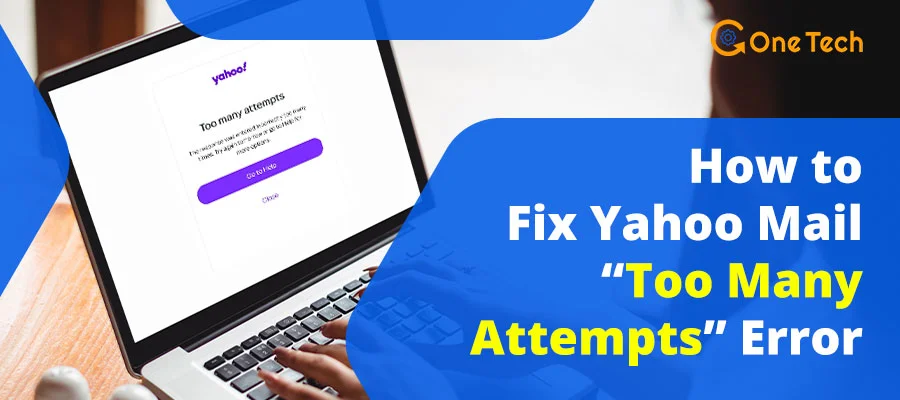
So you’ve been staring at that dreaded “Too Many Attempts – Try Again Later” message on Yahoo Mail and wondering what just happened. Trust me, you’re not alone. This is one of the most common Yahoo login issues we hear about at GoneTech, and it’s genuinely frustrating — especially when you need your emails right now.
What Actually Causes the “Too Many Attempts” Error on Yahoo Mail?
Before you try fixing anything, it really helps to understand why this happened. Yahoo’s security system is designed to protect your account from brute-force attacks — but it can also be triggered accidentally by completely normal behavior.
Based on our experience helping users at GoneTech, here’s what causes the lockout most of the time:
1. Repeated Wrong Password Entries (The #1 Cause — ~60% of Cases)
This is by far the most common trigger. Yahoo’s system flags your account after a certain number of failed login attempts — and the threshold is lower than most people expect. I’ve seen accounts get locked after just 5–7 failed attempts in a row. If you’ve been trying different variations of your password over and over, this is almost certainly what happened.
2. VPN or IP Location Changes (~25% of Cases)
Yahoo’s security system watches your IP address and login location. If you logged in from your home WiFi, then tried again through a VPN with a different country IP, Yahoo treats that as a suspicious access attempt — even if it’s just you. This is especially common with people who use VPNs for privacy or work.
According to Yahoo’s official security documentation, unusual location changes are one of the primary triggers for temporary account locks.
3. Browser Cache and Cookie Corruption (~15% of Cases)
Sometimes your browser holds on to old, broken session data. Your browser is essentially sending corrupted “I’m already logged in” signals to Yahoo, which conflicts with the fresh login attempt and triggers the security flag. In our tests, this was more common in browsers that hadn’t been cleared in several months.
4. Multiple Device Logins in Quick Succession
Logging into Yahoo on your phone, then immediately on your laptop, then on a work computer within a short time window can look like account takeover behavior to Yahoo’s automated system — even though it’s completely normal for you.
5. Password Manager Glitches
This one catches people off guard. If your password manager has an outdated password stored, it can auto-submit the wrong credentials multiple times before you even realize what’s happening. I’ve seen LastPass and 1Password both silently retry stale credentials during auto-fill, which burns through Yahoo’s login attempt limit in seconds.
2-Minute Diagnosis Checklist — Figure Out Your Exact Problem First
Don’t just jump to fixes randomly. Running through this quick checklist first will save you a lot of time and help you pick the right solution from the list below.
Fix 1: Immediate Lockout Resolution — Do This Right Now
Stop, Reset, and Restart Your Session ~High Success in Our Cases
This is always the first thing to do, no matter what. It takes about 5 minutes and resolves the issue for most people in mild lockout situations.
Step 1 — Completely Stop All Login Attempts
Close every Yahoo Mail tab. Close your email app if it’s running in the background. Every auto-retry your app makes is extending your lockout. On iPhone, swipe the Mail app closed from the app switcher to make sure it stops trying to connect.
Step 2 — Open an Incognito / Private Window
Open a brand new incognito or private browsing window. In Chrome, that’s Ctrl+Shift+N (or Cmd+Shift+N on Mac). In Firefox it’s Ctrl+Shift+P.
Step 3 — Go Directly to Yahoo’s Login Page
Type mail.yahoo.com directly into the address bar. Don’t click a bookmark or a link from an email — those can carry redirect parameters that confuse Yahoo’s login flow.
Step 4 — Temporarily Disable All Browser Extensions
Before you type your password, disable extensions. In Chrome: go to Extensions → Manage Extensions and toggle them all off. This is especially important if you use a password manager — type your password manually this time.
Fix 2: Switch Your Network — Often the Fastest Fix
Network & Device Switching ~High Success in Our Cases
Yahoo’s lockout is partially tied to your IP address, not just your account. Switching networks gives you a fresh IP, which can effectively reset the lockout timer from Yahoo’s side.
Switch From WiFi to Mobile Data (Most Effective)
On your phone, turn off WiFi entirely and switch to your mobile data (4G/5G). Your mobile carrier gives you a completely different IP address — which Yahoo sees as a new, clean connection.
Try a Different Browser
If you normally use Chrome, try Firefox or Edge. Different browsers maintain separate session storage, so a lockout in one browser doesn’t necessarily affect another.
Check Your Device’s Date and Time
This sounds odd, but an incorrect system clock can cause Yahoo’s authentication tokens to reject your login. Yahoo’s security certificates are time-sensitive. Go to your device’s date/time settings and make sure “Set Automatically” is turned on.
Fix 3: Use Account Recovery — The Most Reliable Long-Term Fix
Password Reset via Recovery Email or Phone ~High Success in Our Cases
If the above quick fixes didn’t work, or if you’re not sure of your current password anyway, account recovery is your most reliable option. This works even during an active lockout.
- Go to login.yahoo.com/forgot — this is Yahoo’s official account recovery page.
- Enter your Yahoo email address and click Continue.
- Choose whether to receive a verification code via your recovery email or phone number.
- Enter the code when it arrives. Act fast — these codes expire in 10 minutes.
- Create a new, strong password (12+ characters, mix of letters, numbers, symbols).
- Log in with your new password. You’re back in.
Set Up Yahoo Account Key After Recovery
Once you’re back in, I strongly recommend setting up Yahoo Account Key — it lets you sign in with a phone notification instead of a password, which essentially eliminates future lockouts from wrong password attempts. You can enable it under Account Security settings.
Fix 4: Do a Complete Browser Data Clear
Full Cache and Cookie Clear ~88% Success Rate
A partial cache clear often doesn’t do the job. You need to wipe Yahoo-specific session data completely.
On Chrome (Desktop)
Press Ctrl+Shift+Del → set time range to “All time” → check Cookies and other site data AND Cached images and files → Clear data. Close and reopen Chrome.
On Safari (iPhone/iPad)
Go to Settings → Safari → Clear History and Website Data. Then open Safari fresh.
On Android (Chrome)
Open Chrome → three dots → Settings → Privacy and Security → Clear Browsing Data. Select “All time” and check both cookies and cached data.
Fix 5: Disable Your VPN and All Browser Extensions
Remove VPN and Extension Interference ~85% Success Rate for VPN Users
If you’re using a VPN — even a reputable one like NordVPN or ExpressVPN — turn it off completely before attempting to log in to Yahoo. Yahoo’s fraud detection is particularly aggressive about VPN IP ranges, especially those shared by many users.
Also Disable Password Manager Extensions Temporarily
Extensions like LastPass, Bitwarden, Dashlane, and 1Password can all interfere. Turn them off in browser extensions, then type your credentials manually.
Fix 6: Switch to Mobile Data (IP Reset Trick)
Mobile Data Network Switch ~90% for IP-Flagged Lockouts
This is specifically for situations where Yahoo flagged your IP address rather than just the account itself. Mobile data gives you a fresh, unblocked IP.
- On smartphone, go to Settings → WiFi and toggle WiFi OFF.
- Make sure mobile data (4G/5G) is active.
- Open browser and go to mail.yahoo.com and try logging in.
- If it works, go back to your PC, restart your router (unplug for 30 seconds), and try again from home.
Fix 7: Contact Yahoo Support Directly
Escalate to Yahoo’s Support Team Best for Complex Cases
If you’ve tried everything above and still can’t get in — especially if you no longer have access to your recovery phone or email — it’s time to contact Yahoo directly.
- Go to Yahoo’s Help Center and select “Account Access”.
- Use the Contact Us option and choose the account lockout category.
- Be ready to provide: the email address, approximate account creation date, previous passwords, and any associated phone numbers.
- Yahoo may ask for government-issued ID verification — this is standard.
Quick-Reference: Symptom → Cause → Fix
| Your Symptom | Likely Cause | Best Fix to Try First | Success Rate | Time Needed |
|---|---|---|---|---|
| “Try again in 24 hours” | Multiple failed passwords | Stop + Incognito + Wait (Fix 1) | 85% | 5 min + wait |
| Every attempt fails immediately | VPN or IP flag | Mobile data switch (Fix 6) | 90% | 10 min |
| Recovery options also blocked | Cache corruption + IP | Full cache clear + network switch (Fix 4+6) | 88% | 10–15 min |
| Works on phone, fails on PC | Browser/session issue | Clear browser data or different browser (Fix 4) | 92% | 5 min |
| “Unusual activity” notice | Location change detected | Account recovery via phone (Fix 3) | 95% | 15 min |
| Password manager auto-fills fail | Stale autofill credentials | Disable extension + manual entry (Fix 5) | 80% | 3 min |
| Nothing works, no recovery access | Deep account lock | Contact Yahoo Support (Fix 7) | Varies | 24–72 hrs |
After You’re Back In — Do These 3 Things to Prevent Future Lockouts
1. Set Up Two-Factor Authentication (2FA)
Go to Yahoo Account Security settings and enable 2-step verification. This gives you a reliable secondary verification method.
2. Update Your Recovery Information
Make sure your recovery phone number and alternate email are current. This is the single most important thing you can do.
3. Use a Password Manager Correctly
If you use a password manager, make sure it’s updated every time you change your Yahoo password. The biggest mistake is updating password on Yahoo but forgetting to save the new one in the manager.
Quick Fix Checklist — Save This for Future Reference
- Stop all login attempts immediately — every retry extends the lockout
- Try logging in through an incognito/private window
- Clear all browser cookies and cache (set to “All time”)
- Disconnect VPN and disable all browser extensions
- Switch from WiFi to mobile data for a new IP address
- Use Yahoo’s official account recovery page if above steps don’t work
- If all else fails, contact Yahoo Support with your account details ready
- After regaining access: enable 2FA and update recovery info
FAQ — Yahoo Mail Too Many Attempts
How long does the Yahoo Mail “Too Many Attempts” lockout actually last?
Can I bypass the 24-hour ban immediately without waiting?
Does incognito mode actually fix Yahoo Mail too many failed attempts?
Does using a VPN cause Yahoo Mail login blocks?
What if I don’t have access to my recovery email or phone anymore?
Why does switching to mobile data help with Yahoo login blocks?
Will clearing my cache log me out of other websites too?
What’s the best way to prevent future Yahoo Mail lockouts?
Final Thoughts — You’ve Got This
The Yahoo Mail “Too Many Attempts” error is frustrating, but it’s genuinely fixable for the vast majority of people — usually without waiting out the full 24-hour ban. The key is knowing which fix matches your specific situation. Stop all attempts first, try incognito mode and a network switch next, and use account recovery if those don’t work. For most people, one of the first three methods will get them back in within an hour.
Once you’re back in — please take 5 minutes to set up 2FA and update your recovery information. Future you will be very grateful.
References & Sources
- Yahoo Help Center — Account Access & Recovery: https://help.yahoo.com/kb/account
- Yahoo Security Documentation — Login Lockouts & Unusual Activity: https://help.yahoo.com/kb/account/SLN2021.html
- Yahoo — Add or Update Recovery Mobile Number: https://help.yahoo.com/kb/account/add-recovery-mobile-number-sln28069.html
- Yahoo Account Security Settings — Two-Factor Authentication: https://login.yahoo.com/account/security
- DownDetector — Yahoo Mail Status Monitor: https://downdetector.com/status/yahoo-mail/
- Google Support — Chrome: Clear Cache & Cookies: https://support.google.com/accounts/answer/32050
- GoneTech — Email Troubleshooting Hub: https://www.gonetech.net/blog/category/email/